Push-ups
Place your iPhone flat beneath you. Camera face movement or the proximity sensor can verify each down-and-up rep.
iPhone screen-time blocker
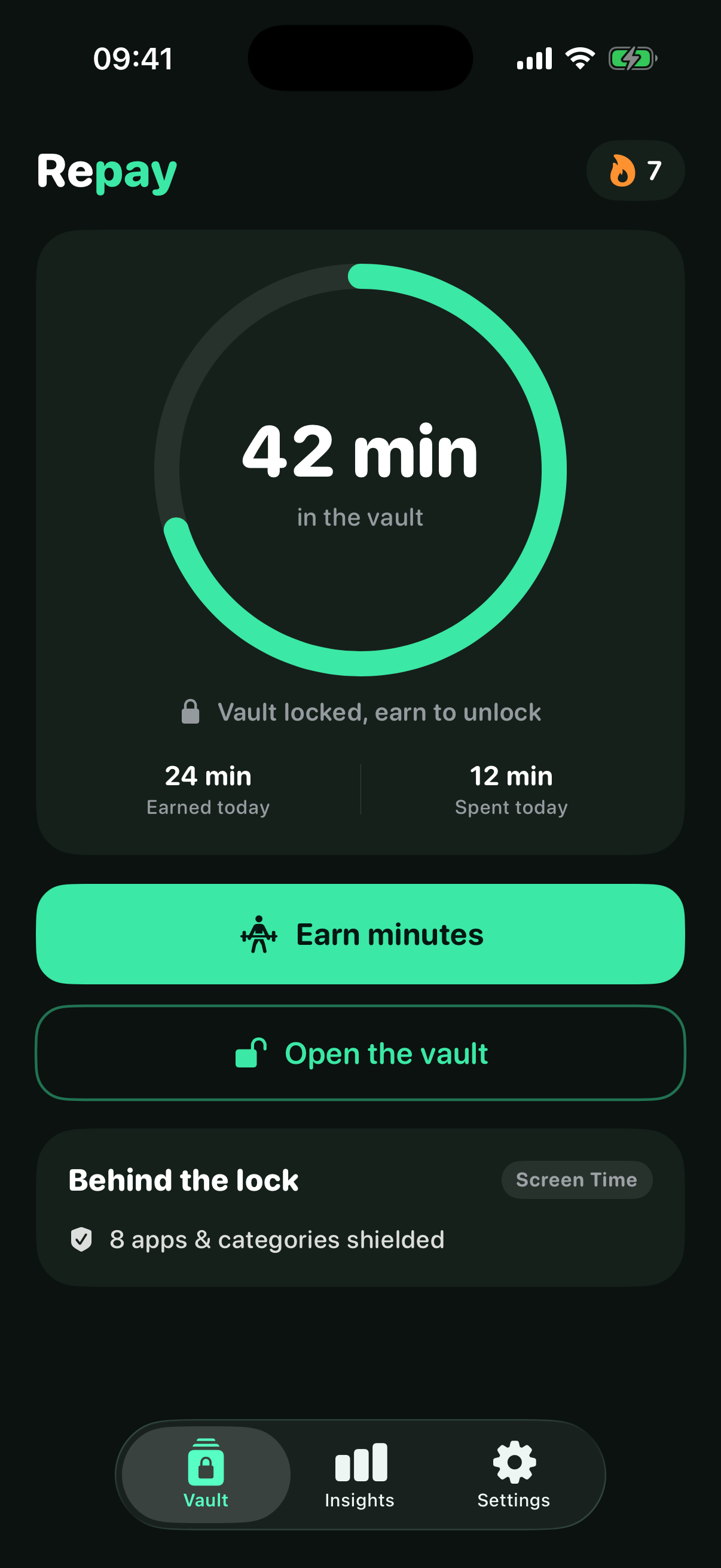
Repay puts distracting apps behind a simple deal: move, learn a language or solve a problem, bank the minutes, then enjoy them guilt-free.
A better deal with your phone
Repay turns an automatic habit into a conscious choice, without asking you to quit the apps you enjoy.
Pick the distracting apps you want Repay to block using Apple's Screen Time controls.
Complete push-ups, squats, a timed plank or the lower-reward math fallback.
Your earned balance unlocks the apps you chose. When the vault runs out, the shield returns.
Repay’s unique edge
Turn the urge to scroll into a short, focused language lesson. Follow the vocabulary path, practise Spanish and other available languages, and finish the questions before the reward enters your vault.
Choose the meaning
después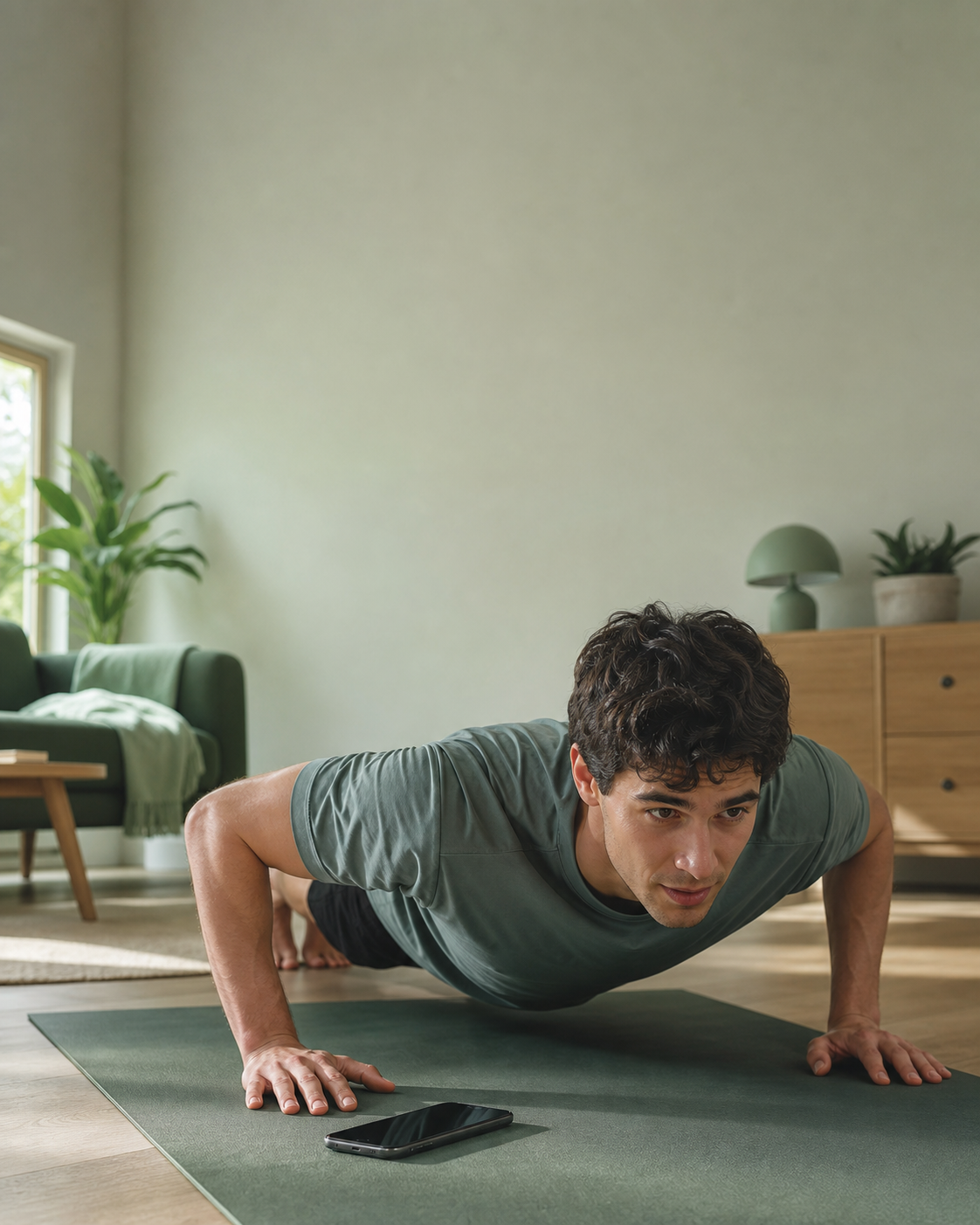
Small effort. Real reset.
The hardest part of a habit is the moment you do it without thinking. Repay adds one useful pause: move your body, choose your time, carry on.
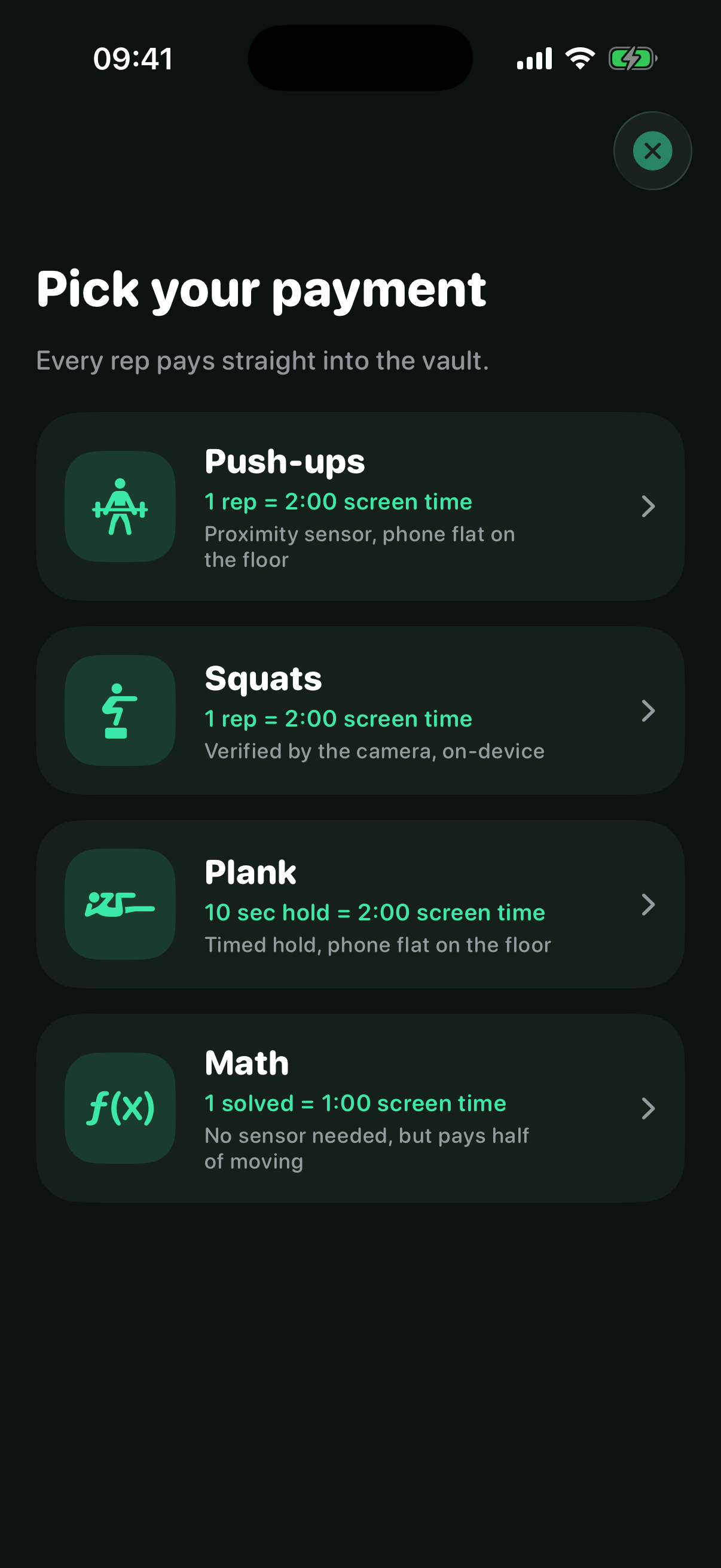
Pick your payment
Move, solve or learn. Every path turns focused effort into screen time, with clear exchange rates and offline language lessons.
Place your iPhone flat beneath you. Camera face movement or the proximity sensor can verify each down-and-up rep.
Prop up your iPhone so your body is visible. On-device pose detection counts your reps.
Set your phone down flat and still. Repay times the hold and turns each verified second into balance.
Can’t move right now? Solve arithmetic problems instead. It earns less than movement by design.
Build real vocabulary with guided questions, listening and spaced review. Finish the lesson before the minutes enter your vault.
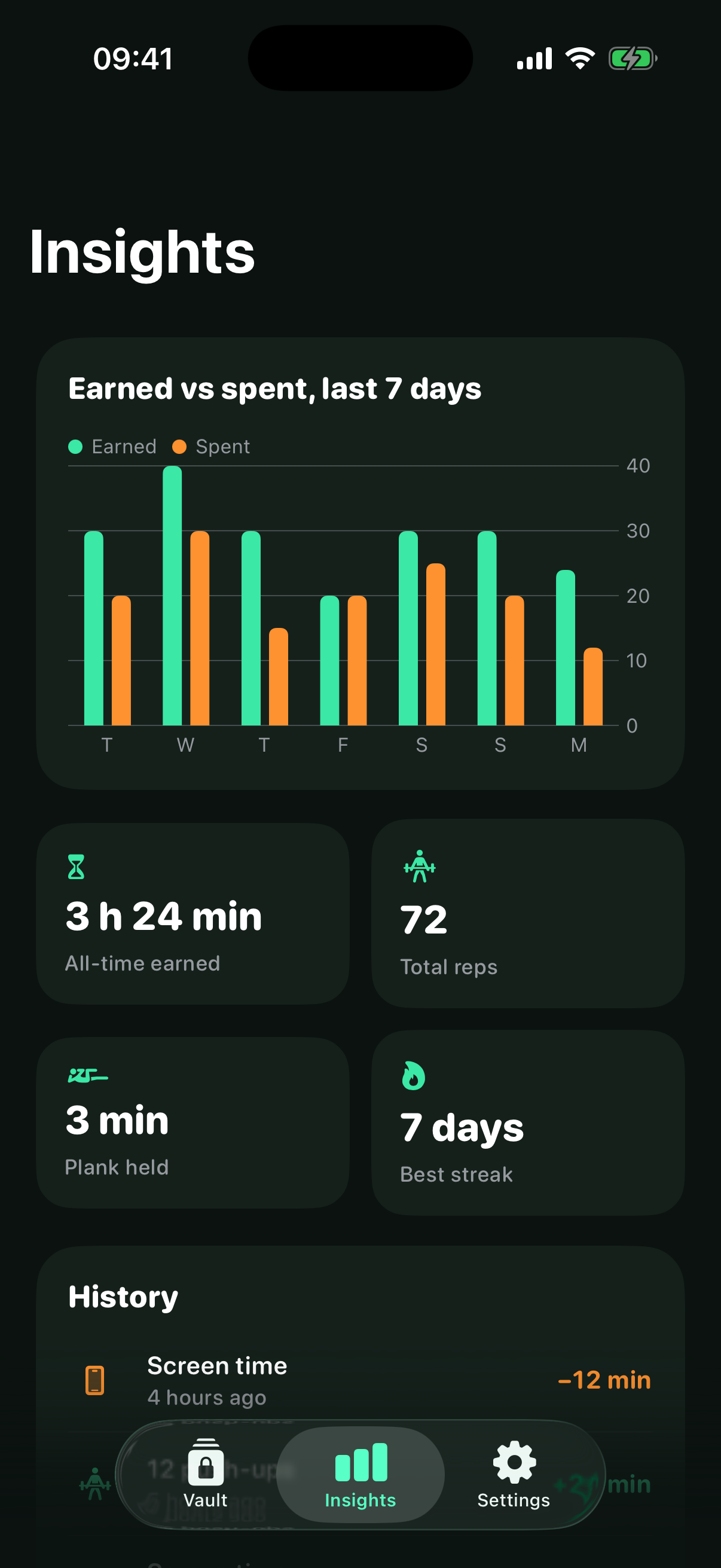
Your effort, made visible
See what you earned, what you spent and how consistently you chose movement or learning first.
Private by posture
Squat pose detection runs on your iPhone, and video is never uploaded. Screen Time choices, app activity and workout history stay local, alongside Repay’s 100 bundled quotes.
Worth asking
Still curious? The full answers live here, and support is only a tap away.
Visit supportYes. With your permission, Repay uses Apple's Screen Time frameworks to shield the apps you select. iOS manages those shields.
No. The camera is used only for push-up and squat detection while that workout is active. Frames are processed on-device and are not recorded or uploaded.
Use the math fallback to earn time without a sensor. It deliberately pays less than movement. You can also change your selected apps and exchange rate in settings.
Yes. Choose a language, follow the vocabulary path and complete each question correctly before the lesson pays minutes into your vault. Lessons work offline.
Yes. Choose a preset or set a custom exchange rate. Planks pay per verified second, while math pays at half the movement rate.
The core earning, quote and Screen Time experience runs on your iPhone. Repay’s 100 bundled quotes work offline and never depend on a remote service.
The scroll can wait
Repay is coming soon to iPhone.